Skip to content
Lu Phone Maw

Nexvent

An event management platform covering discovery, registration, capacity limits, waitlists, QR-code tickets and organizer tools, with registration logic designed to stay correct under concurrent sign-ups.

Focus
Full-Stack, Backend Engineering
Core stack
Next.js, React, TypeScript, Tailwind CSS, shadcn/ui, NextAuth.js, Prisma, PostgreSQL
QR codes
qrcode, html5-qrcode
Context
Team project2 people
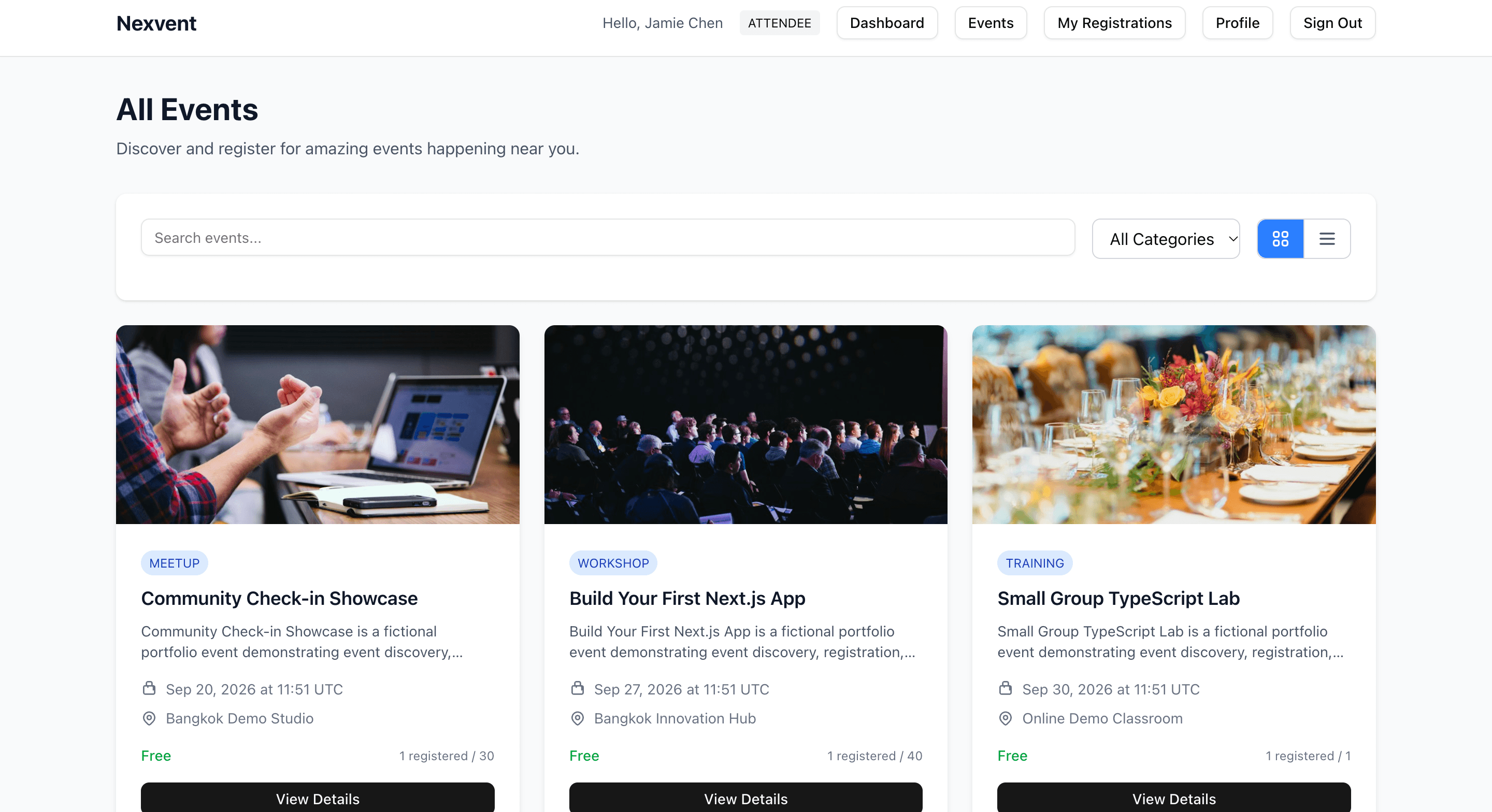
Nexvent All Events page for a signed-in attendee: a search box and category filter above event cards for a meetup, a workshop and a training session, each with date, location, a Free price and registrations against capacity.

For attendees

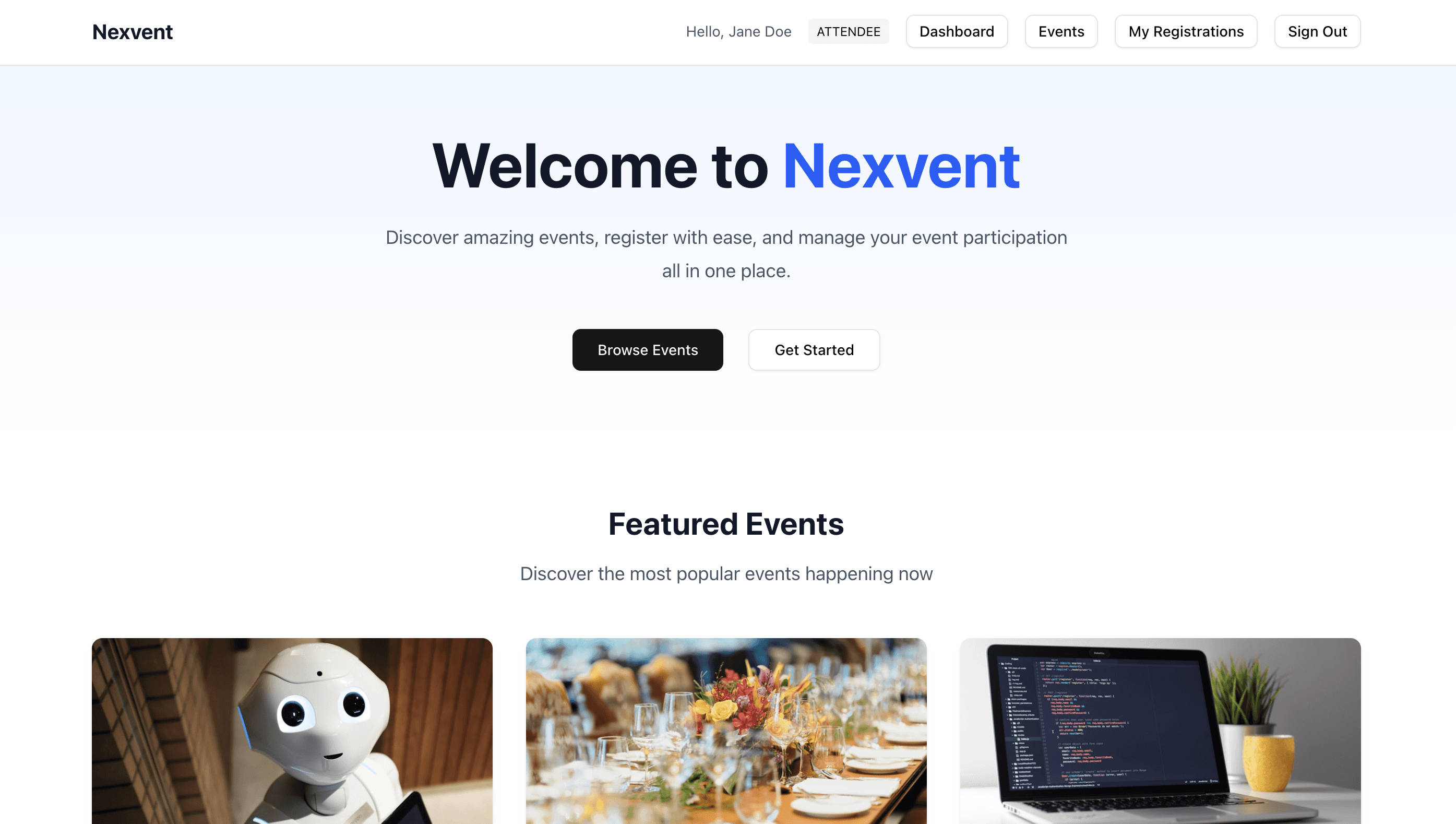
Nexvent home page for a signed-in attendee: 'Welcome to Nexvent' with Browse Events and Get Started buttons above a Featured Events section.

Home

The landing page. Attendees can jump straight into browsing events, with featured events underneath.
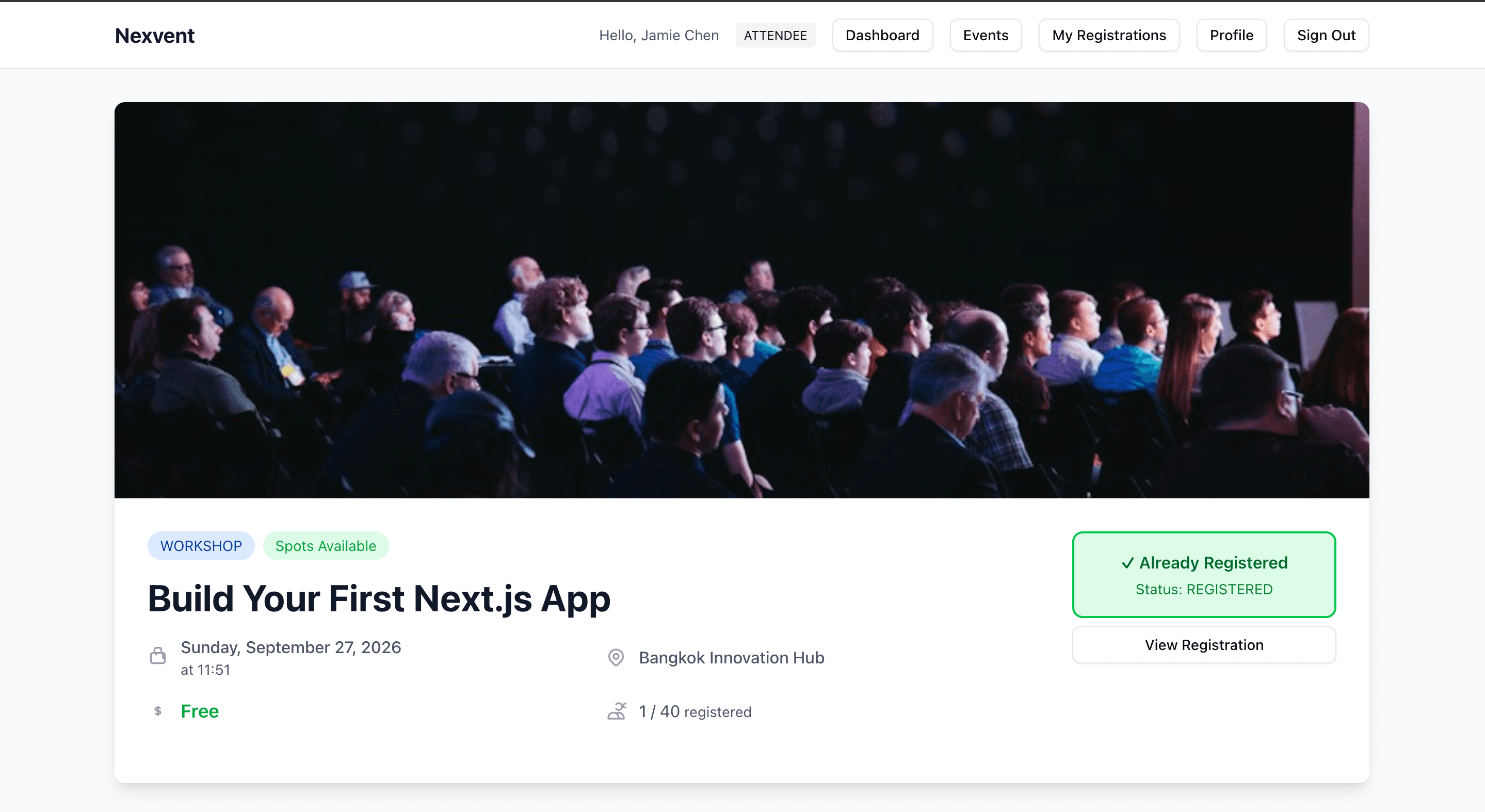
Event page for the workshop 'Build Your First Next.js App': banner photo, Workshop and Spots Available tags, date, venue, Free price, 1 of 40 registered, and an Already Registered panel with a View Registration button.

Event page

Each event shows its date, venue, price and live capacity. Once you’ve registered, the page shows your registration status instead of the sign-up button.
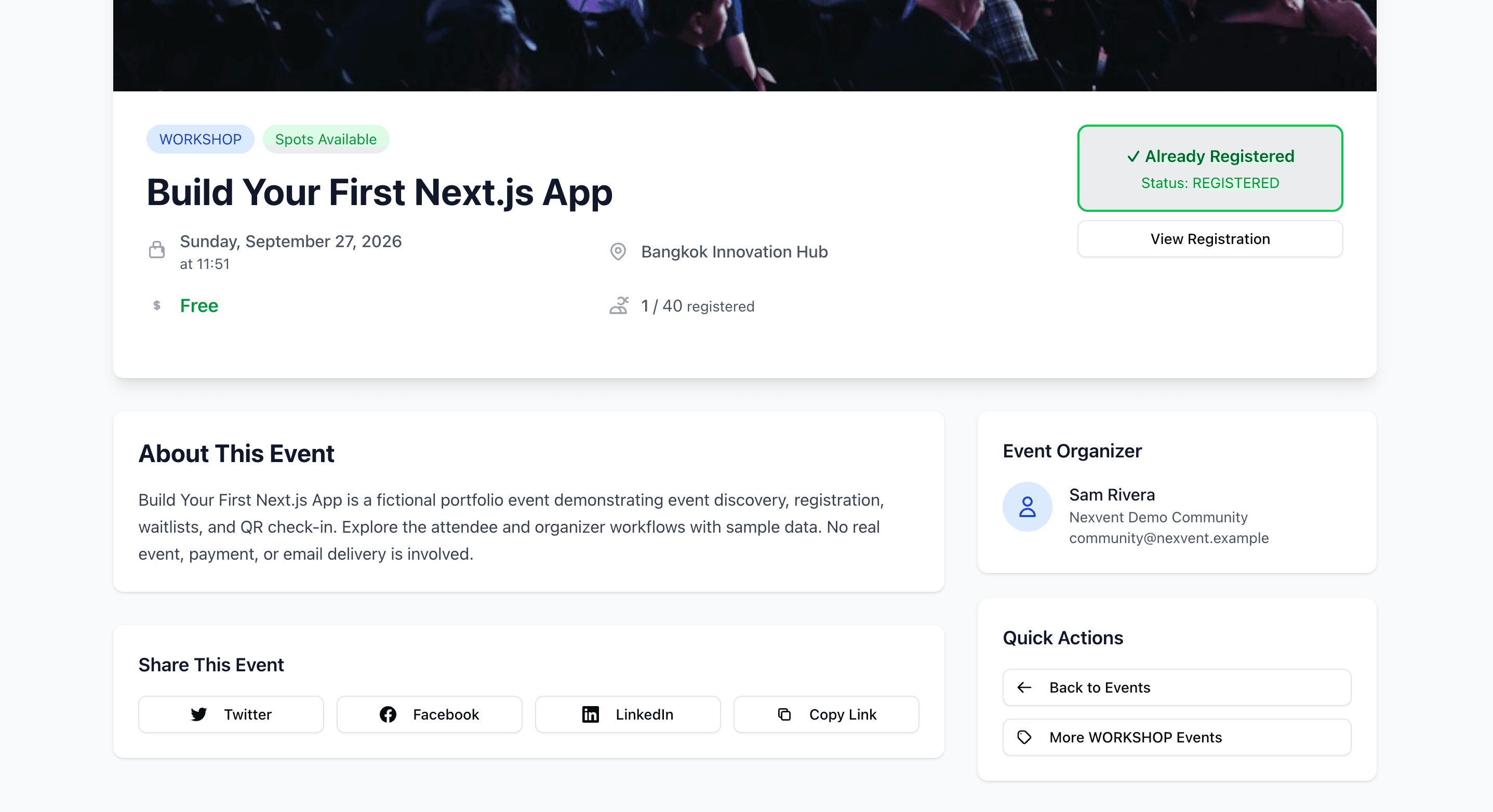
Lower part of the event page: an About This Event description, the event organizer's details, share buttons for Twitter, Facebook, LinkedIn and Copy Link, and quick actions.

Event details

Further down: the event description, who’s organizing it, share links and quick actions. The demo events are clearly labelled as fictional.
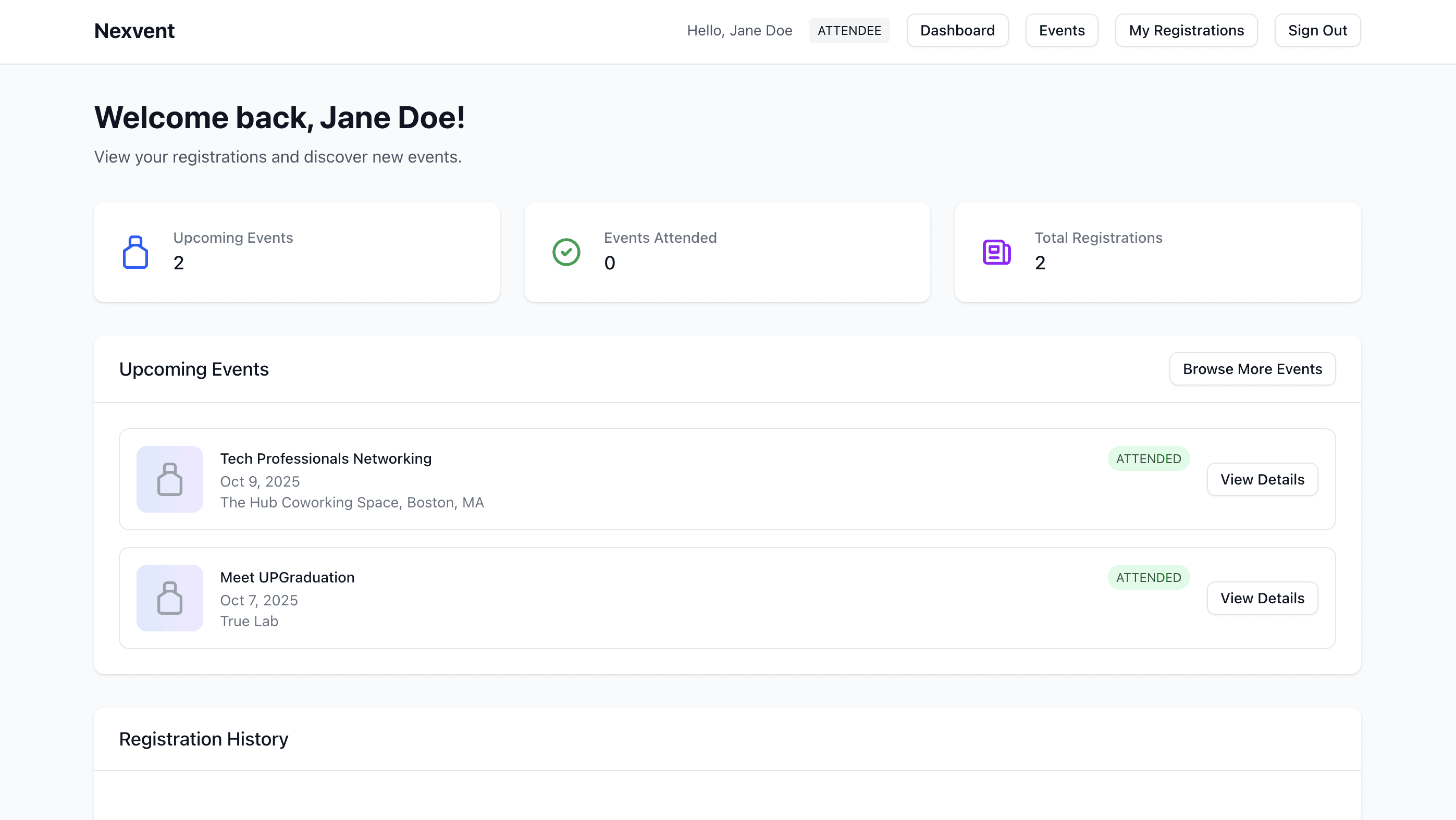
Attendee dashboard for Jane Doe: counts for upcoming events, events attended and total registrations, and a list of upcoming events with their status.

My dashboard

An attendee’s dashboard: upcoming events, how many they’ve attended, and their registration history.
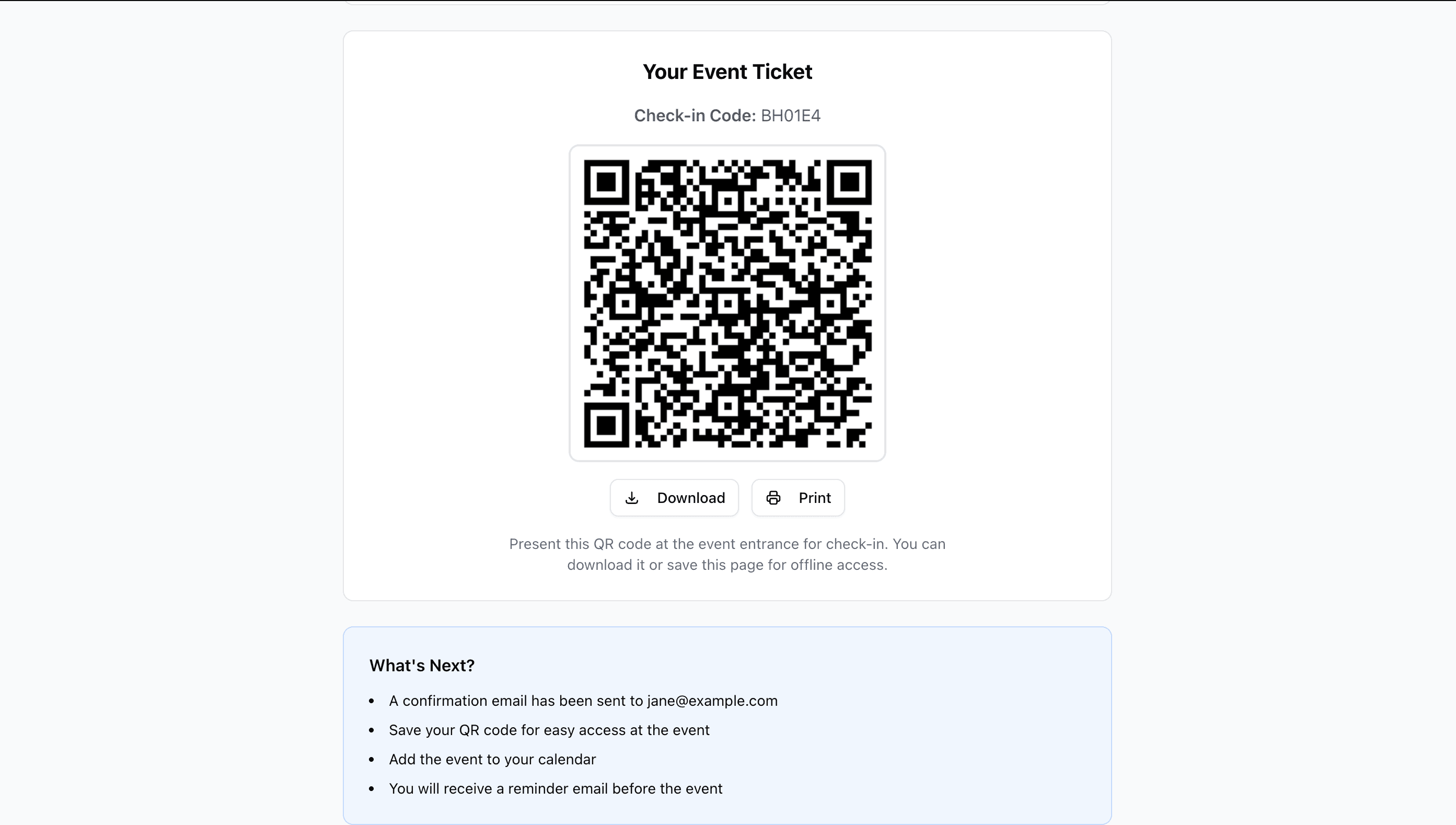
Event ticket page with check-in code BH01E4, a QR code, Download and Print buttons, and a What's Next list.

QR ticket

Every registration gets a unique check-in code and QR ticket that can be downloaded or printed.

For organizers
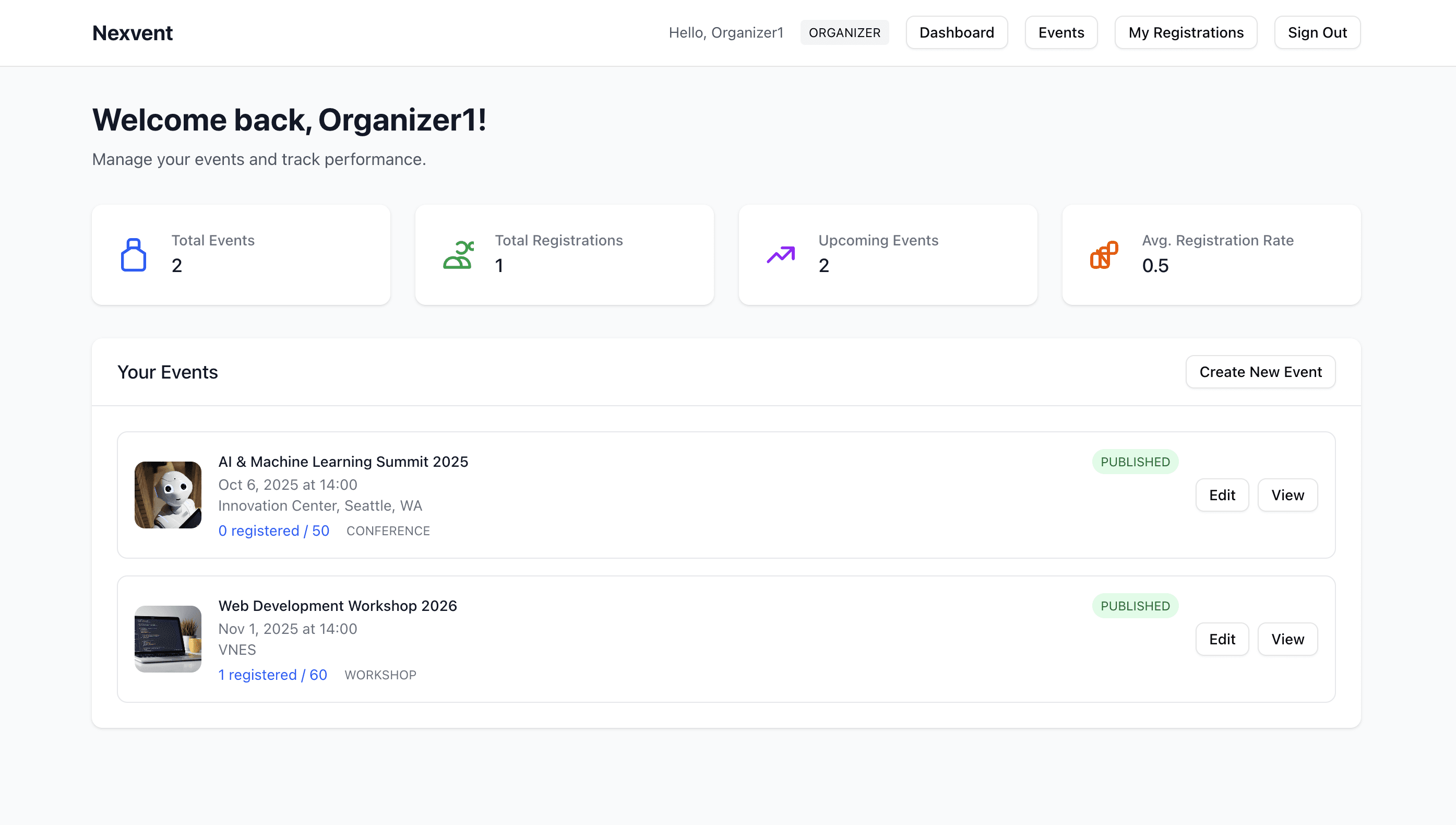
Organizer dashboard for Organizer1: totals for events, registrations, upcoming events and average registration rate, and a list of their published events with registration counts against capacity and Edit and View buttons.

Organizer dashboard

Organizers see their own events with registrations against capacity, and can create, edit and publish events.
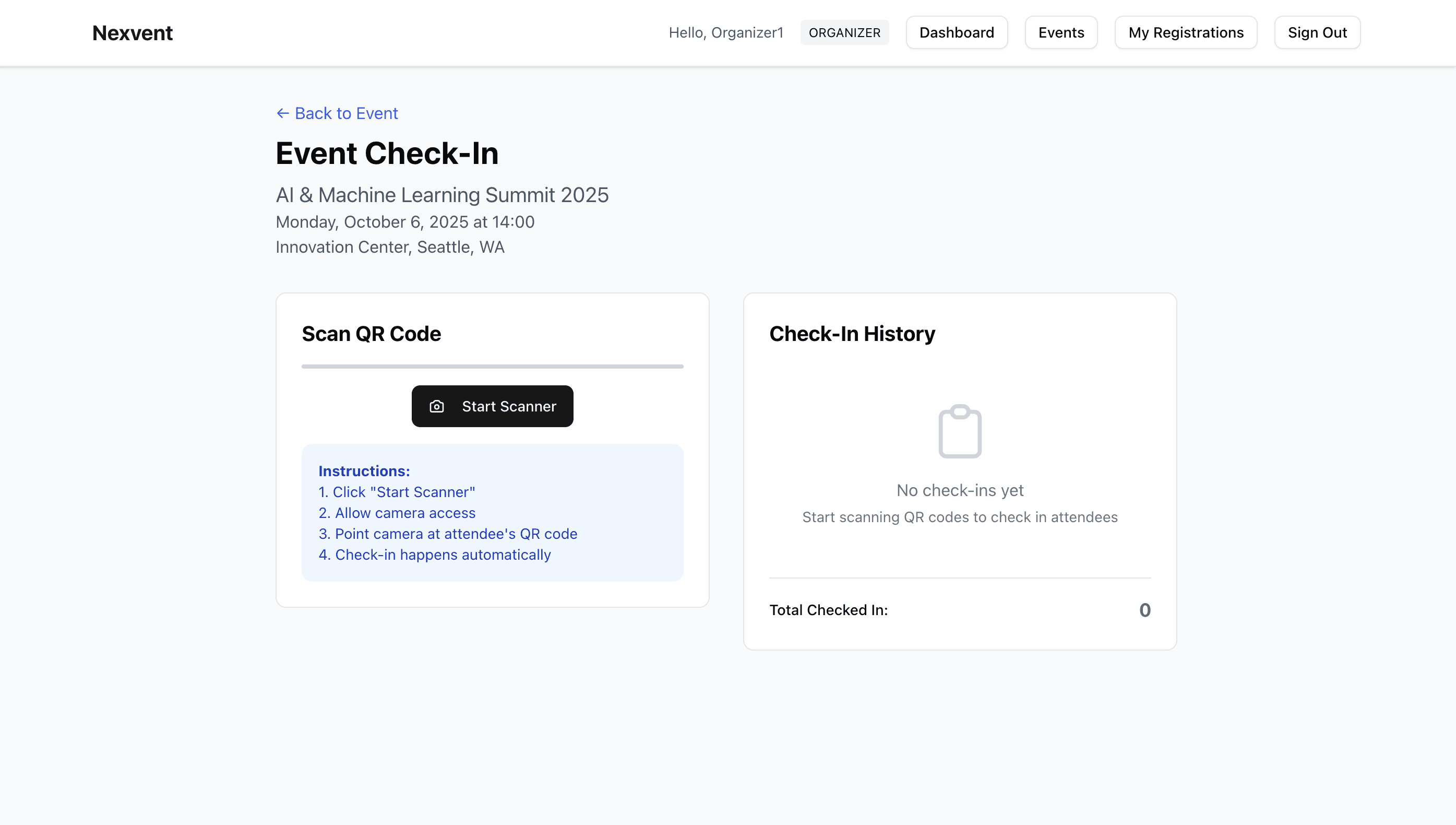
Event check-in page for an organizer: a Scan QR Code panel with a Start Scanner button and instructions, and a Check-In History panel showing no check-ins yet.

QR check-in

At the door, organizers scan attendee QR codes with their device camera, right in the browser. Each scan marks the registration as attended and adds it to the check-in history.

For admins
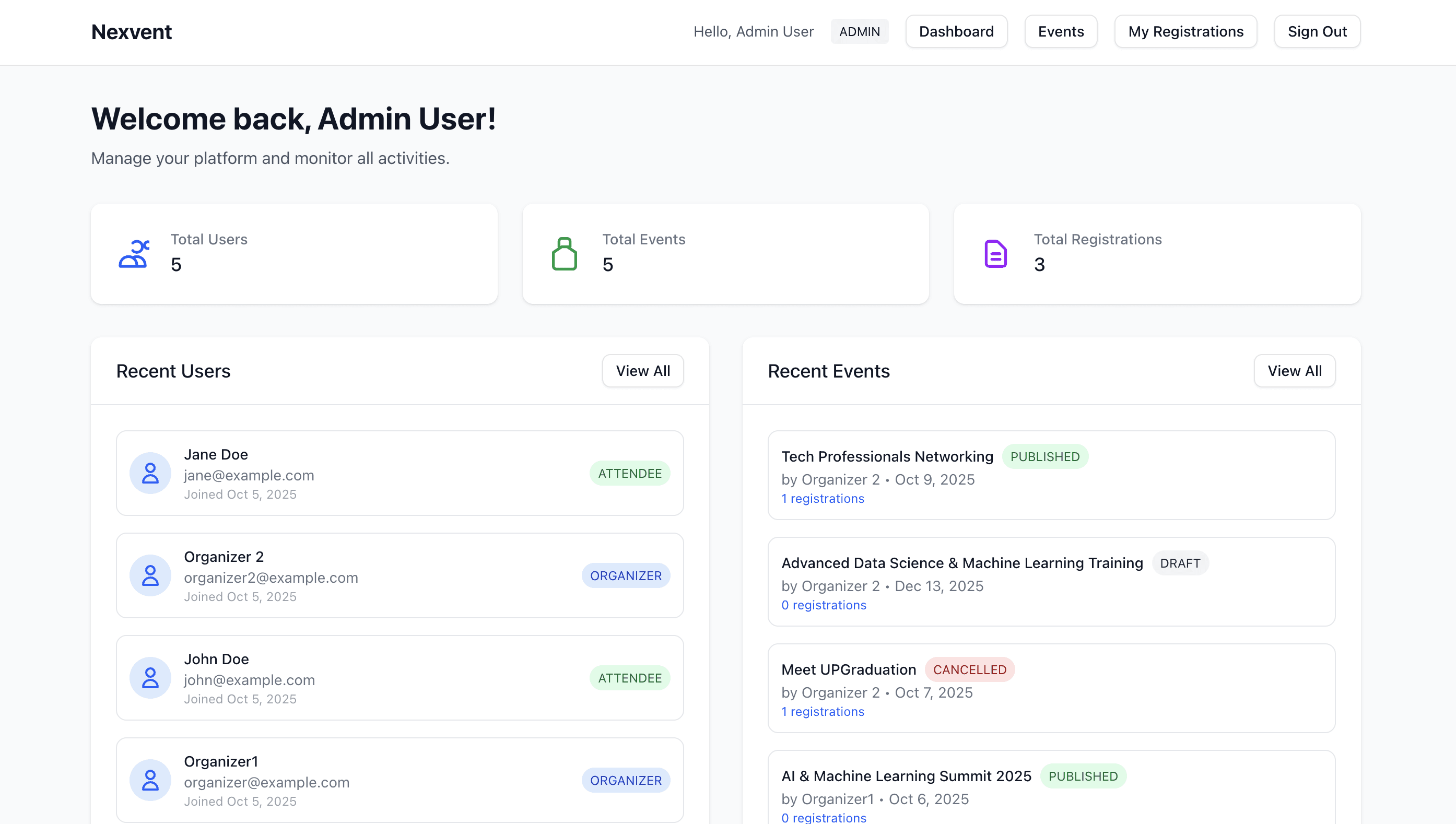
Admin dashboard: totals for users, events and registrations, a Recent Users list with roles, and a Recent Events list with published, draft and cancelled statuses.

Admin dashboard

Admins get the whole platform at a glance — every user and event, with roles and event status.
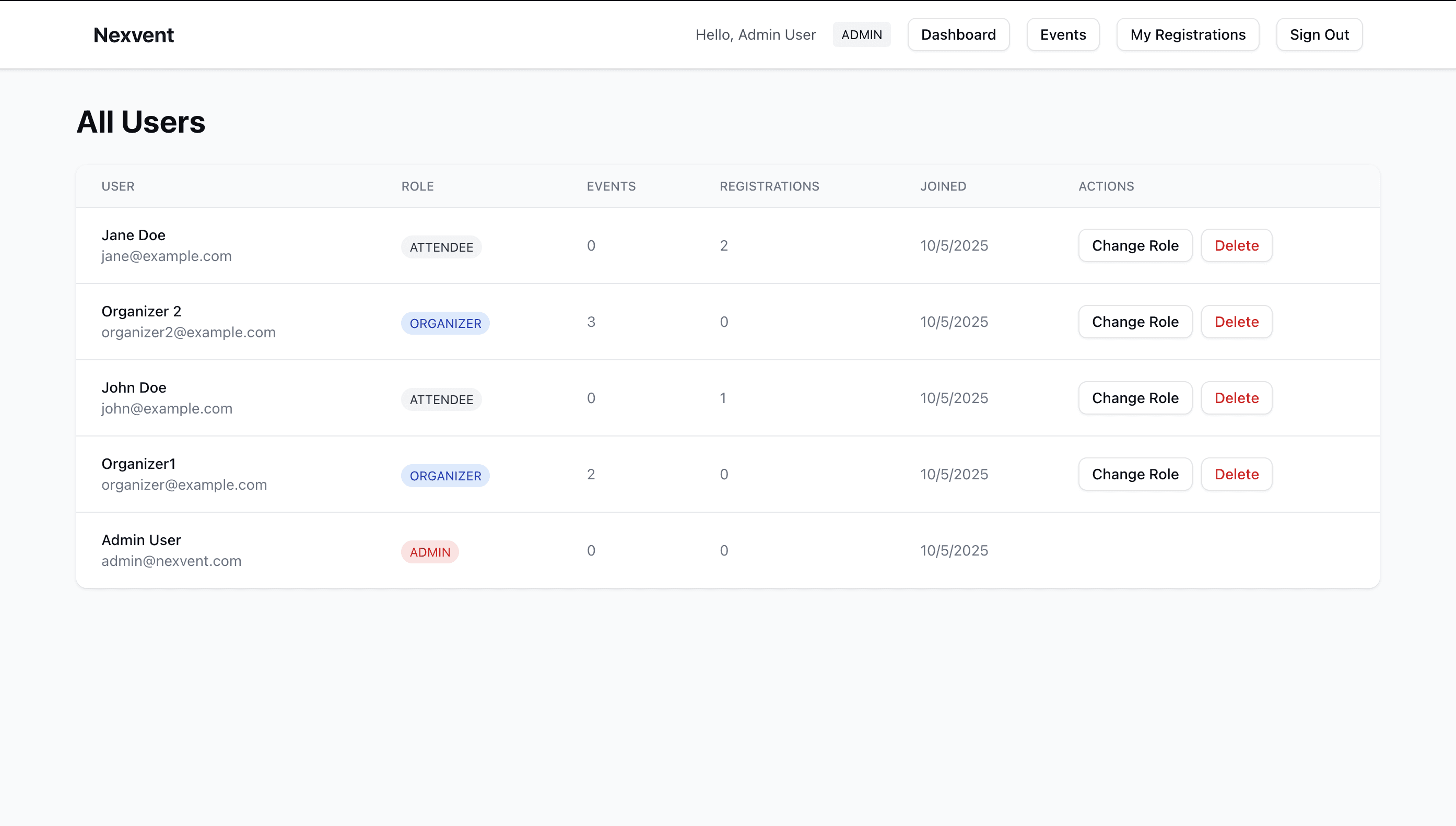
Admin All Users table listing demo users with their role, event and registration counts, join date, and Change Role and Delete actions.

Managing users

User management: admins can change anyone’s role between attendee, organizer and admin, or remove an account.
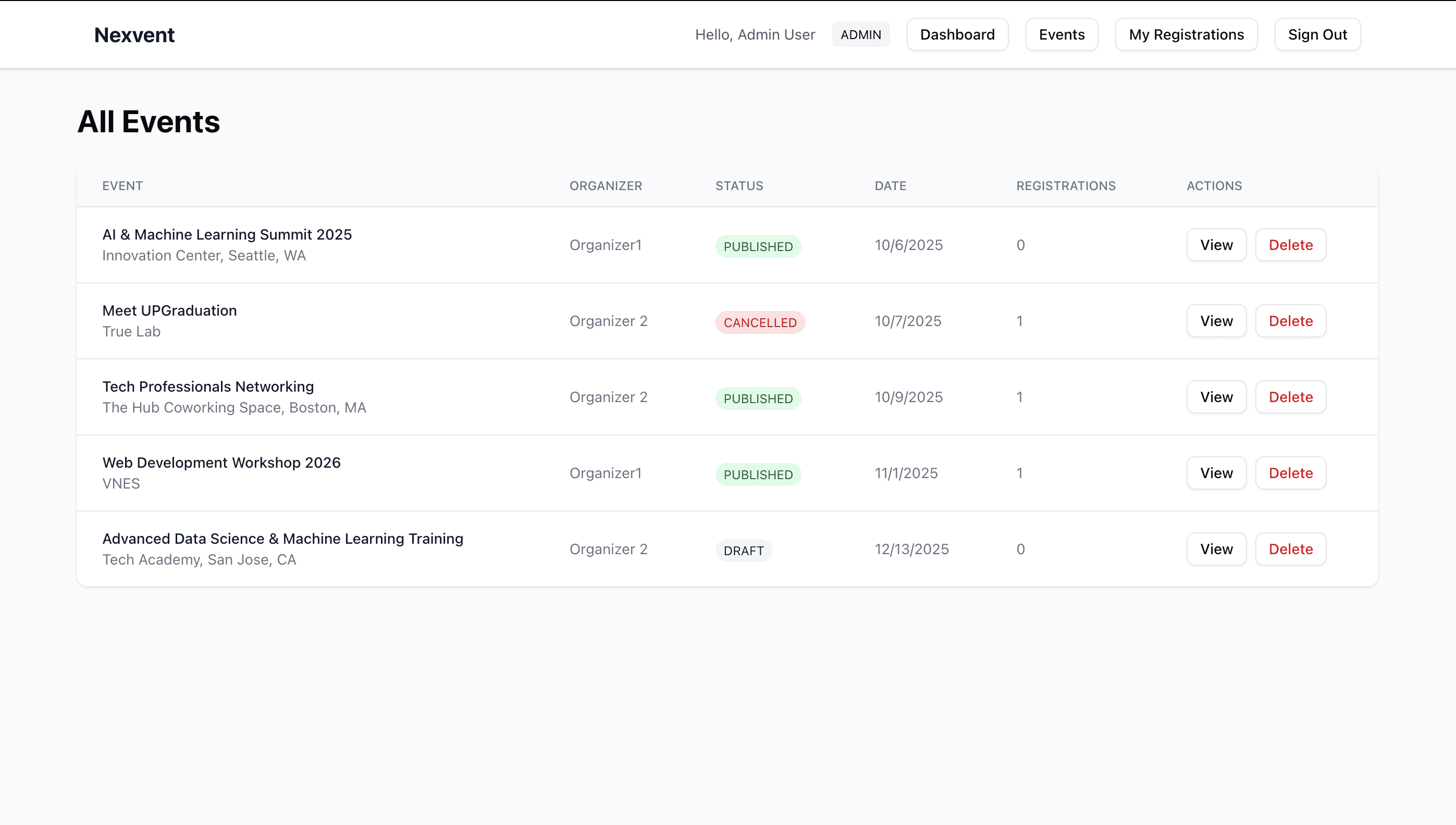
Admin All Events table listing every event with its organizer, status (published, cancelled or draft), date, registration count, and View and Delete actions.

Managing events

Every event on the platform, across all organizers, with its status and registrations.