TalkToData
A data-analysis assistant where users upload CSV or Excel files and ask questions in plain language; an agent chooses from thirteen Python tools that compute answers and draw charts.
- Focus
- AI Systems, Full-Stack
- Core stack
- Next.js, TypeScript, Python/FastAPI, OpenAI Agents SDK, Pandas, Supabase, Google Gemini
Files
- list_data_files()
- load_dataset()
- get_column_info()
Analysis
- describe_data()
- filter_data()
- group_by_analysis()
- get_value_counts()
- calculate_correlation()
Charts
- create_bar_chart()
- create_line_chart()
- create_histogram()
- create_scatter_plot()
- create_pie_chart()
Using it
Asking a question
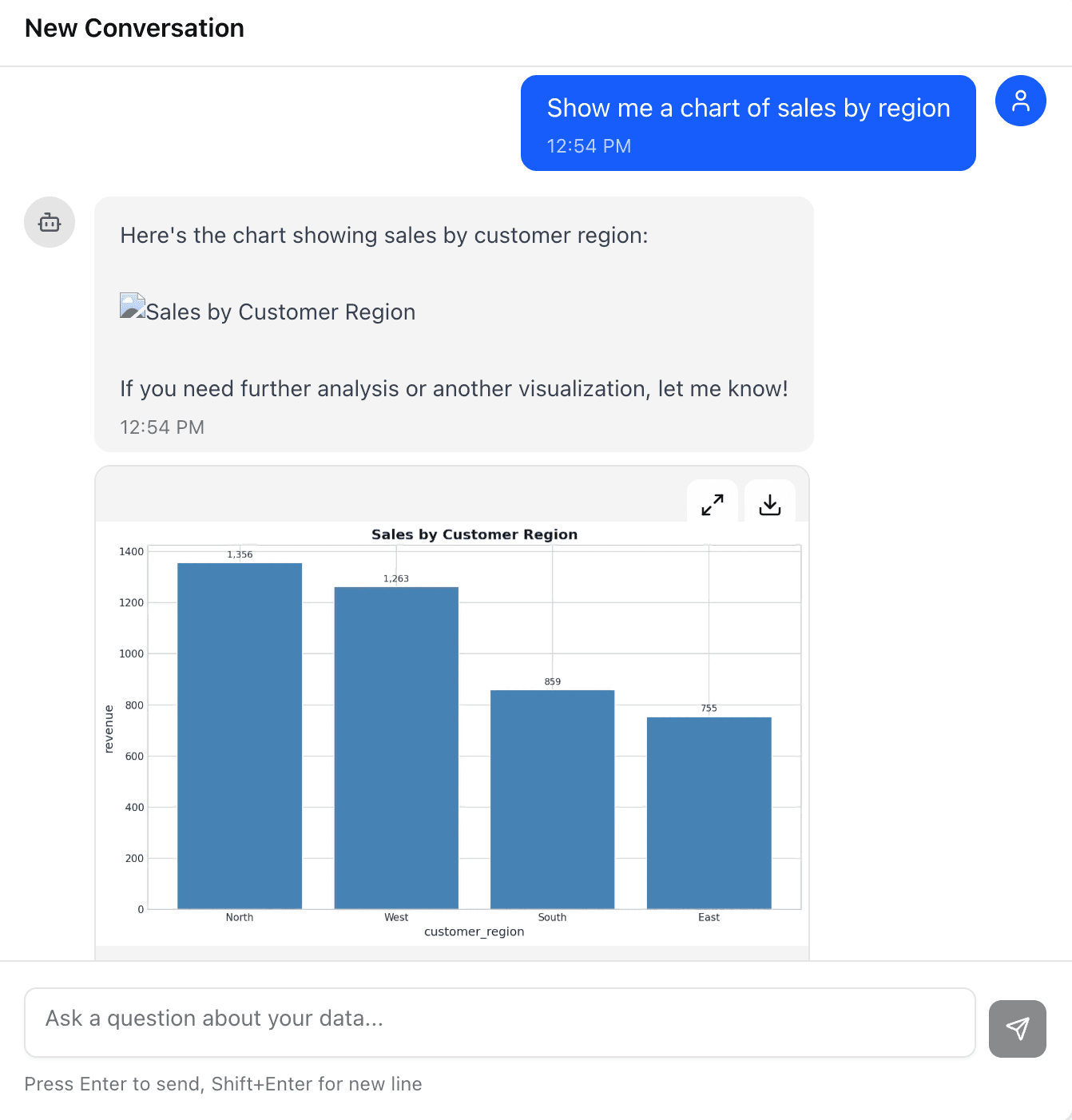
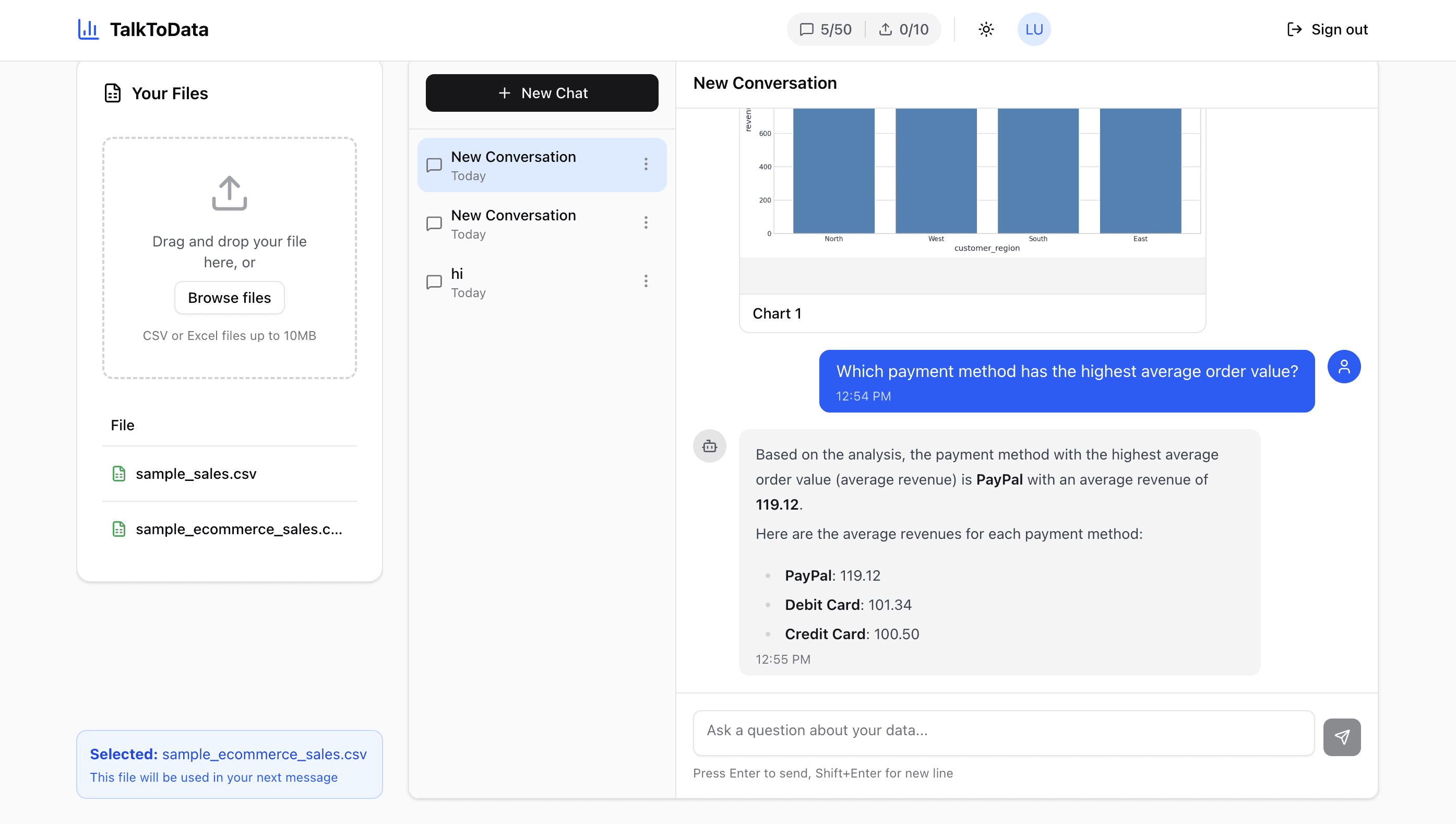
Upload a CSV or Excel file, pick it, and ask in plain English. Here the agent works out that PayPal has the highest average order value and lists every payment method’s average — computed from the file, not guessed. Earlier in the same chat, a chart request came back as a rendered bar chart.
System architecture
How the agent works
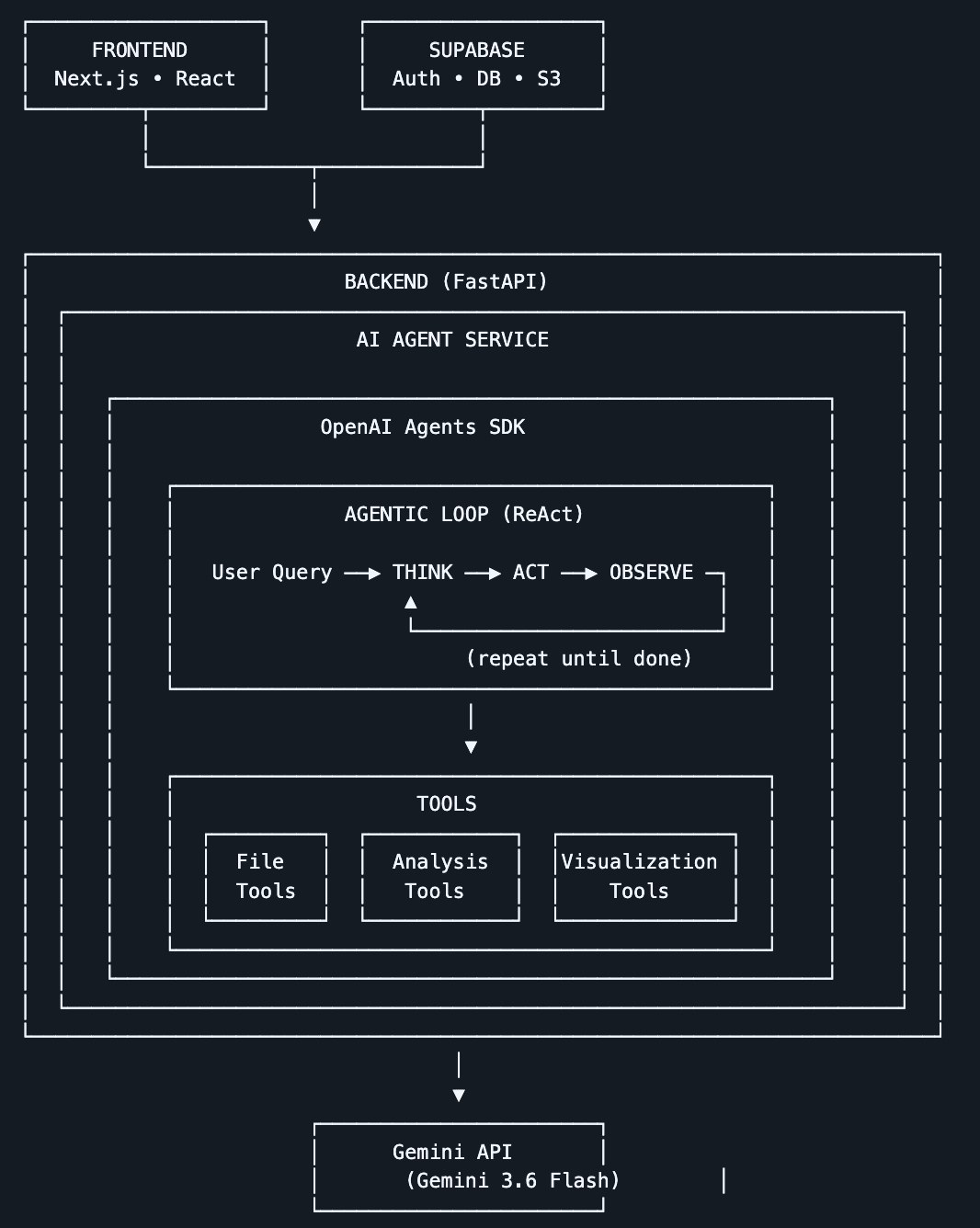
The Next.js frontend and Supabase (auth, database and file storage) sit in front of a FastAPI backend. Inside it, an agent built on the OpenAI Agents SDK runs a think → act → observe loop, calling file, analysis and chart tools until it has an answer, with Gemini as the model doing the reasoning.